Build Faster with Next.js + Tailwind CSS + TypeScript + daisyUI Starter
Introduction
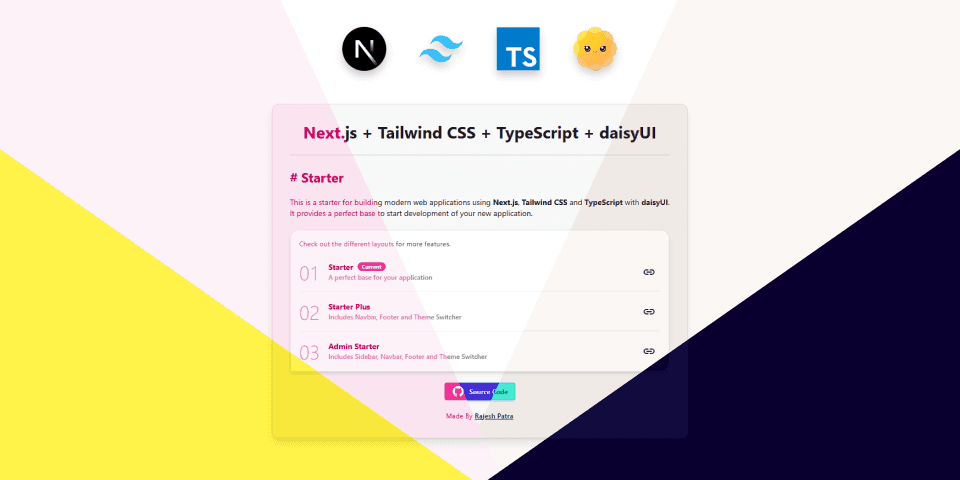
Are you tired of setting up the same stack over and over again for your Next.js projects? I was too. That's why I created a powerful starter or boilerplate that combines Next.js, Tailwind CSS, TypeScript, and daisyUI, so you can jump straight into development without spending time and effort on the boilerplate setup.
In this blog post, I will walk you through what's included and how you can use it to build modern web applications or admin dashboards.
Tech Stack Overview
- Next.js – A React framework with built-in routing, SSR, and App Router support.
- Tailwind CSS – A utility-first CSS framework for rapid UI development.
- TypeScript – Static typing for better developer experience and type safety.
- daisyUI – A Tailwind plugin that provides pre-built component classes and themes.
Three Layouts for Different Use-Cases
I've built three layouts of the starter to cover multiple needs:
1. Starter
A clean and minimal base setup with Next.js, Tailwind CSS, TypeScript, and daisyUI — ideal for starting any kind of web application.
2. Starter Plus
Includes everything from Starter, plus:
- A ready-to-use Navbar and Footer
- A Theme Switcher to switch between the pre-built themes provided by daisyUI
- Easily customizable layout components
Perfect if you want to skip repetitive layout coding.
3. Admin Starter
Tailored for building dashboards or internal tools:
- Sidebar for navigation
- Navbar and Footer
- Built-in Theme Switcher
- Fully responsive and easily extendable
Features
- ✅ Multiple Light and Dark Themes via daisyUI
- ✅ Theme Switcher to toggle between themes
- ✅ Reusable Components (Navbar, Footer, Sidebar in Admin Starter)
- ✅ Responsive Layouts optimized for mobile and desktop
- ✅ TypeScript Support for type safety
- ✅ Tailwind CSS utility-first styling
- ✅ daisyUI component library integration
- ✅ ESLint for code quality
- ✅ Next.js App Router for modern routing
Demo and Source Code
Want to see it in action?
Check out the source code in the GitHub repository.
Feel free to fork and customize! Don't forget to give the repo a ⭐️ on GitHub.
Quick Start
Follow the steps below to quickly set up the starter in your local environment. You can also check the GitHub Repo – Installation section.
1. Clone the repository
git clone https://github.com/rajpatra220/nextjs-tailwind-ts-daisyui-starter.git

cd nextjs-tailwind-ts-daisyui-starter
2. Install dependencies
Make sure you have Node.js installed. Then, run:
npm install
3. Run the development server
Start the development server using:
npm run dev
4. Open in browser
Navigate to http://localhost:3000 to view the application in action. The port might be different in your case.
When Should You Use This?
This starter is perfect if you're:
- Starting a new web app or side project
- Building an admin dashboard
- Creating a component playground
- Learning Tailwind and daisyUI with Next.js
Final Thoughts
Starters like this save hours of setup and bring consistency across your projects. Whether you're prototyping or building a full-scale app, this boilerplate gets you started with best practices already in place.
If you like this project, check out my portfolio for more projects, and don't forget to give this repo a ⭐️ on GitHub.
Happy Coding!